22 June 2026
Last edited: 26 June 2026
Vive Vibe: A European's Guide to Agent Harnesses
What I learned about how I actually work by taking a whistle-stop tour of all the agent harnesses
Google (or ChatGPT - that's what the kids do nowadays) "Best agent harness for X" (where "X" is your model of choice) and you'll get a different answer depending on what day of the week it is, and what phase the moon is in. We had a good couple of years where all you could do with LLMs was chat to them, and "keeping up" involved understanding which models had the most intelligence and hallucinated least often. Nowadays, LLMs are used for much more than just chatting, and the scaffolding around the models matters just as much as (or possibly more than) the models themselves (no one tell Trump this, or we might lose access to Claude Code, as well as Fable)!
So, for anyone wanting to really get work done with these models, the choice is now multivariate: "Which LLM provider should I subscribe to?" is now "Which model do I want to use, and how do I want to use it?".
The Easy Answer
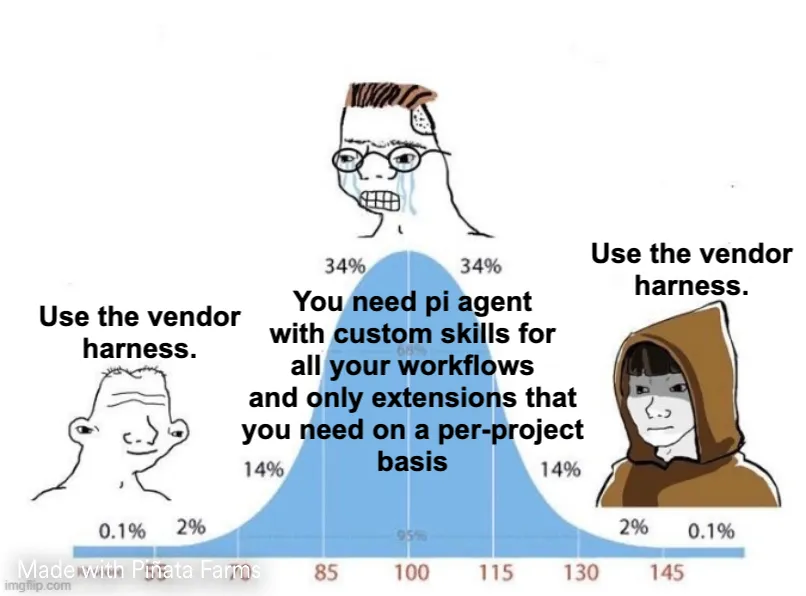
The easy answer represents the left side of the Midwit Meme: just use whatever harness your LLM-du-jour ships with. Codex for OpenAI, Claude Code for Anthropic.
It's the easy choice for a reason:
- All your chats and work stay in one place, on one platform
- All the above harness support "teleporting" - moving your local work from device-to-cloud, allowing you to boss your agents around from your phone whilst you're at the pub
- The integration is perfect: no configuration required, just log in and get to work.
About 6 months ago, I was subscribed to ChatGPT Pro and used Codex to vibecode a prototype from nothing in about ~8 hours. The workflow was easy: ask Codex to do something, let it spin up all the resources when it was done, use the built-in Browser to let Codex view it's own work, and ask it in natural language if anything needed changing.
In terms of "getting real work done", it felt like you'd be hard-pressed to do better than this. But this was vibecoding in it's purest sense: all the work I did was in telling Codex what to do, and chastising it when it got something wrong. I had no idea how the thing it had built actually worked, or where I needed to look in order to figure out how to change something trivial.
The Codex Crutch
As a concrete example: in this prototype, I wanted to change a label on a UI element (it was saying ID: {X} for a point on a graph, and I wanted it to say something like Timestamp: {X}s). Simple, that's the kind of software engineering that even I might be able to do - no need to use a hammer as large as Codex for that! I'll just search for the string ID: and find where it takes me. Except that string was defined in a data schema that was nowhere near the actual UI code. A schema that was being used for more than just rendering the UI. When I changed that string to say what I wanted, something somewhere else broke. Something was expecting this field to start with ID: and, because it no longer did, everything broke.
That's the kind of engineering decision that I'd like to think I wouldn't make. But it was too late at this point: "doing this properly" would involve me really understanding how everything worked, and effectively rewriting a lot of the data-handling code from scratch. In which case, why am I paying OpenAI £20 per month??
No, I can't be doing that. I'll just ask Codex: "Please change this UI element to read Timestamp rather than ID". Sure enough, Codex dilligently found the element I cared about, traced it back to the data schema, change the value, reran the project, saw that everything broke, went back to the drawing board and updated the UI rendering code directly to regex-edit the label from ID to Timestamp. Glad to know I think like an AI (at least to begin with - I'm just less persistent). That's probably also not the fix I'd have gone for (at least that's what I tell myself), but hey, this is a prototype I suppose. It'll do.
A job well done. And it only took ~200k sweet sweet GPT-5.5 tokens. Billed at API pricing, that would have cost ~$1. Not going to break the bank. But it cost $1 to implement a bad fix for a very, very simple problem.
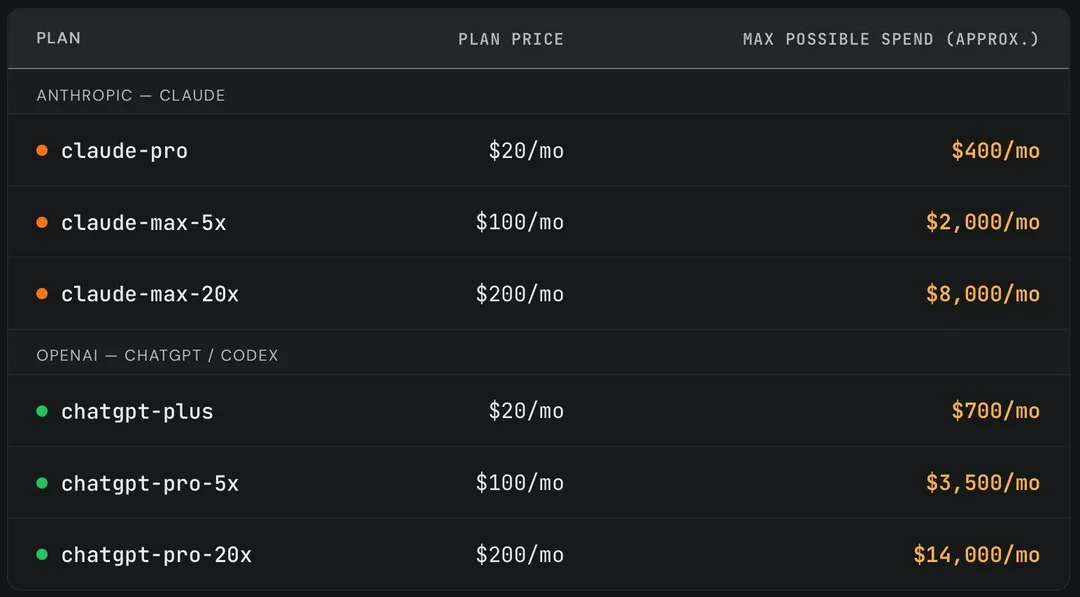
When a project is fully vibecoded, the cognitive offload becomes the real danger. I became fully dependent on Codex to even navigate the codebase. And I'm willing to bet that's what OpenAI are counting on: get everyone so dependent on these tools that when (not if) they hike their API prices, companies are forced to foot the bill, because staff no longer understand how their platforms are built. There's a reason the Pro plans are so heavily subsidised - and it's not charity!
A Better Way
Context hygiene. That's the only way to solve this. I'm being charged directly based on how many tokens I send to, and receive from, OpenAI. What's to say they haven't added some ridiculously large system prompt to Codex that chews through all my tokens, completely unseen to end users? I need more control over exactly what I send to the API. Also, open agents tend to have much better support for open models. Camulos have very kindly provided me with a fairly beefy MacBook (which I definitely use for work and not just messing around with LLMs), meaning I can run large LLMs locally, and hook them up to these agent harnesses. I'll touch more on that later.
OpenCode
The first on the list of agent harnesses that isn't tied directly to a provider is OpenCode. It was early. It was open. It was good. And it lets you log in to all your LLM subscriptions and use them as-is (or, at least, it did).
I can define my own system prompt. I can control exactly which tools the agent has access to. I can provide line-level code directly from the codebase so that the agent knows exactly where I'm looking. This has to reduce token counts, right??
Well, yes, but not to the level you'd hope. OpenCode has grown from a nice little CLI tool to a fully-functional Codex competitor. It has extensive tool use, unique system prompts for each of it's agent modes, and the ability to add any number of skills and MCPs. Embrace all of that, and you're looking at a token bill that matches or outgrows the Codex one.
Pi
The leanest meanest agent harness out there, pi is the fundamental harness that supports OpenClaw. It's basic, it's lightweight, it's intentionally minimal. It is designed to solve this exact problem. It provides the bare minimum, and lets users add extension as-and-when they please in order to suit their needs.
The ideal setup for pi is to keep it as minimal as possible, and only add skills and extensions as-and-when they are needed. For example, only enable the Browser-use MCP tools when you know you are going to ask about a browser-specific problem, then disable it when you're doing other work. Nice and lean. Nice small token bill. But, doesn't that defeat the point? I don't know ahead of time what I'm going to ask. A lot of the time, I'm not even the one asking! The agent is making these decisions itself! Liam W recently wrote about The Sensorium Effect: if a model doesn't have the tools to ask certain questions, it will often proceed as though those questions don't need asking. As he says, that's catastophic when using these models for real decision making but, more importantly, it is very annoying when you're just trying to get some work done.
Oh-my-pi
Okay, a middle-ground. oh-my-pi takes what pi built, and adds the "batteries". All the stuff that you need to actually get work done. Minimal base, minimal useful additions, still lean.
Except, it suffers the exact same problem as OpenCode. Context swells as tools and extensions are added. My desire to have a one-size-fits-all agent harness that doesn't need to be tweaked on a per-project basis means all these tools are constantly added. The agent can make any decisions it likes, and use any tools it has access to, but my token bill isn't getting any smaller.
La Solution
This is all suboptimal. I'm lazy, I don't want to spend a day configuring my agent harness before I start work on a project. But I also don't want to become addicted to one agent harness and locked in to one vendor. So what is the solution?
Well, it's to just use the vendor's harness. But not Codex, or Claude Code. Mistral Vibe CLI.
Mistral's Vibe CLI is more bare-bones than the others. It doesn't have all the bells and whistles of Codex. It's ostensibly less sophisticated than Claude Code. But, I think, therein lies it's strength. It's written in Python, super easy to configure via a global config file, and has heirarchical config (meaning I can add a single config file to a project, which takes precendence over the global config, but anything that's not defined will fall back to the global config). If I want to have an MCP configured for just one project, that's 4 lines of config. Easy.
With this move, I also made the move away from ChatGPT Pro. With Anthropic being hamstrung by US Government directives, whilst also openly admitting that their models are not that far ahead of the GPT-5.5 Pros of the world, it seems inevitable that the Trump administration will start to crack down on all Frontier Labs in the US, leaving us Europeans stuck either paying the same amount for a worse model, or having to rely on Chinese open models.2
So, I decided to leap before I was pushed. Mistral's Free tier gives you access to their latest models, via the Vibe CLI for coding, with a relatively generous usage limit (bearing in mind Codex and Claude Code are limited to subscribers only, not the free tier). Their Pro tier is cheap, and gets you much more usage than either of the competitors. Their models are fine. Sure, they lag behind in benchmarks, but with the theme of this blog being "Getting real work done", they are absolutely "good enough".
And the best part? Mistral release all their models as open source. If France decides to pull a Trump and restricts access to the Mistral platform for anyone that's not a French citizen, I can just spin up my own H100 cluster and run their models there. Might cost a bit more, sure, but it'll be mine to control. And, I can already run their models anyway!1
As an AI Research Engineer, I spend most of my coding time in either Marimo or Zed. Both of which have Agent Client Protocol (ACP) integrations, meaning I can hook them both directly into Vibe CLI and pass line-level context straight into the harness. No extra plugin, no greping through the codebase to find the right location (and burning tokens as it goes).
When I do want to make larger changes, using Vibe CLI on plan mode with Mistral's latest frontier model (as of writing, that's Mistral Medium 3.5) tends to form a very well structured and informed plan. Then I can hand that plan off to Devstral to actually implement. Depending on how I'm feeling (or how close I am to my token budget), that can either be Devstral 2 via the Mistral API, or Devstral Small 2 served via oMLX on my laptop. Vibe CLI's model config makes the switch easy (/model devstral-2 or /model devstral-2-local), and oMLX makes local serving super fast.
So, for now, I am fully committed to European (French) AI for my day-to-day workflow. Vibe CLI is perfect for my usecases, and their models are the perfect mix of cheap, fast, open and (most importantly) not American. Vive Mistral!
My Stack
For anyone who just wants to skip to the end and see how I actually run stuff, here's the stack:
- A 16-inch M4 Max MacBook Pro with 128GB Unified Memory (thanks again, Camulos)!
- oMLX as the local inference server. It's faster than LMStudio and ollama.
- cmux as my terminal emulator of choice.
- Vibe CLI as the harness.
- Wrapped in a nono.sh container, because I don't want some rogue
SKILL.mdfile stealing all my API keys
- Wrapped in a nono.sh container, because I don't want some rogue
- Mistral Medium 3.5 as my go-to frontier-level model. (Currently only via the Mistral API, sadly this is too big to run locally!)
- Devstral 2 as my go-to coding model. Either via the API, or using the
Smallvariant locally viaoMLX.- I also run North Mini Code 1.0 locally for coding tasks at the moment - it is insanely quick.
- Zed or Marimo as my editors of choice.
Footnotes
- 1."Activations" here means some internal state of the model, that is usually opaque to the user. These states are essential for how modern LLMs function, and store complex extremely-high-dimensional information as it flows through the network. Recent research, called Mechanistic Interpretability has shown promise in using these hidden states to undertand how a model works and what it is "thinking" as it processes information. The "post-ReLU at the 3rd layer" is simply saying where exactly in the network to look - something that the problem setters told us at the outset.↩
- 2.Edit as of 26/06/2026: I would just like to point out that I called this by about 3 days!↩